
Outreach Sales Engagement Platform: Complete Guide
Sales teams often lose time moving between email, calls, calendars, task lists, and customer records. Follow-ups get missed, messages become inconsistent, and managers struggle to see which activities create real opportunities. The Outreach sales engagement platform brings these actions into a structured workflow. It can help teams organize prospecting, personalize communication, manage daily tasks, and record engagement in a connected CRM. However, the platform still depends on clean data, relevant messaging, and a clear sales process. This guide explains how Outreach works, what it offers, and what teams should consider before using it.
Outreach is a sales engagement platform that helps revenue teams manage email, calls, tasks, follow-ups, and prospect communication through repeatable sequences. It typically works alongside a CRM, providing representatives with a practical system for conducting outreach while customer and opportunity records remain in the CRM.
What Is the Outreach Sales Engagement Platform?
Outreach is software built to organize how sales teams engage prospects and customers. Its sales engagement features include sequences, templates, snippets, calls, task prioritization, workflows, and reporting.
A sequence is a planned series of touchpoints. It may include an email, phone call, research task, and later follow-up. Outreach schedules those actions and shows the representative what should happen next.
Outreach now describes its wider product as an agentic AI platform for revenue teams. The broader platform covers prospecting, deal management, forecasting, coaching, and account expansion, while sales engagement remains a core function.
How Does Outreach Work?
The platform connects the activities sales representatives perform each day. The basic process has three parts.
1. Connect Your Sales Systems
A company connects its email, calendar, CRM, and approved sales tools. Administrators then configure users, permissions, fields, ownership rules, and synchronization settings.
Outreach documentation explains that its Salesforce connection can create and update records in either system and synchronize selected information. Its CRM synchronization documentation also covers Microsoft Dynamics.
2. Build Sales Sequences
Teams create sequences for different buyers, lead sources, or sales stages. Each sequence contains a defined order of emails, calls, meetings, and manual tasks.
For example, a B2B software company may use one sequence for demo requests and another for cold outreach. The first responds to existing interest. The second needs more research and personalization.
3. Manage and Measure Engagement
Representatives work through assigned tasks while Outreach records relevant activity. Managers can review replies, meetings, sequence performance, and other engagement signals.
Activity totals still need context. A high email-open rate means little when qualified replies and meetings remain low.
Outreach Platform Features
Sales Sequences and Follow-Ups
Sequences help teams standardize follow-up without relying on personal reminders. They can combine automated emails with calls, research tasks, and manual messages.
This structure may reduce missed actions. I’d avoid building long sequences before testing whether the first few steps are relevant.
Email Templates and Personalization
Templates and snippets reduce repetitive writing. CRM fields may also insert details such as the prospect’s name, company, role, or industry.
Personalization needs more than inserted fields. A useful email should explain why the message matters to that buyer.
Calling and Task Management
Outreach places calls, emails, meetings, and other actions into organized task queues. Representatives can see their next steps without maintaining separate lists.
The platform can prioritize work, but it cannot handle every judgment call. A salesperson still needs to assess account quality, timing, buying signals, and objections.
Workflow Triggers
Triggers can start or change an action when defined conditions are met. A prospect may enter a sequence after submitting a form, leave after replying, or receive a task when an opportunity changes stage.
Poor setup can send the wrong message or keep a prospect in a sequence after circumstances change.
CRM Integration
Outreach can exchange selected records and activities with Salesforce or Microsoft Dynamics. Teams may synchronize contacts, accounts, opportunities, tasks, and engagement information according to their configuration.
Incorrect field mapping can cause duplicate records, missing activity, or unreliable reports. I’d treat CRM preparation as a core implementation task.
AI-Assisted Workflows
Outreach includes AI-assisted features and agents across prospecting, customer engagement, deals, and related revenue work. Available functions depend on the selected package and setup.
AI can summarize activity, prepare research, suggest content, or recommend actions. Human review remains necessary before a message is sent.
Sales Engagement Analytics
Reporting can help managers examine email activity, replies, meetings, calls, sequence performance, and representative workflows.
Useful analysis goes beyond volume. Teams should examine positive replies, meeting quality, opportunity creation, pipeline movement, and revenue outcomes.
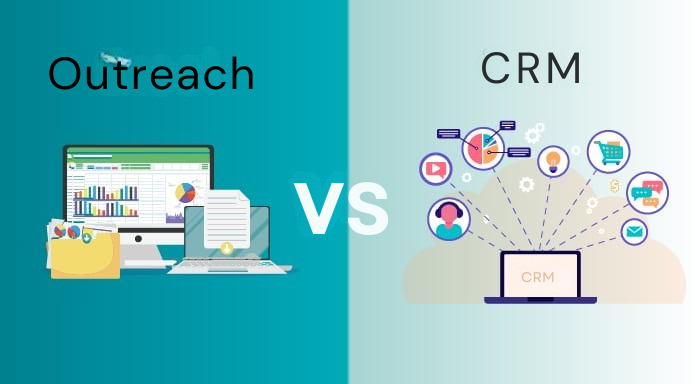
Outreach vs CRM:
What Is the Difference?
A CRM is generally the central system for contacts, accounts, opportunities, and pipeline records. Outreach focuses on the actions representatives take to engage those people.
| Comparison area | Outreach | CRM |
| Primary purpose | Sales engagement and execution | Customer and pipeline management |
| Main activities | Emails, calls, sequences, tasks, and meetings | Contacts, accounts, opportunities, and reports |
| Typical users | SDRs, BDRs, account executives, and managers | Sales, marketing, service, and operations teams |
| Automation focus | Communication and follow-up | Data, approvals, and pipeline processes |
| Role | Engagement layer | Central system of record |
Outreach normally works alongside a CRM rather than replacing it. The CRM stores account and opportunity history. Outreach helps representatives complete the related communication and follow-up work.
Benefits of Outreach
When configured well, Outreach may provide:
- More consistent follow-up
- Fewer repetitive administrative tasks
- Better visibility into sales activity
- Clearer processes for new representatives
- Centralized templates and sequences
- Stronger coordination with CRM data
A SaaS company, for instance, can create a consistent process for every qualified demo request. Each lead receives a prompt response, while later steps are personalized by company size and use case.
These benefits depend on adoption, data quality, relevant messaging, and ongoing management.
Limitations of ccOutreach
The platform also introduces operational demands:
- Setup may require significant planning
- Representatives and managers need training
- Poor CRM data can weaken automation
- Excessive automation may create generic messages
- Reports can mislead when metrics lack context
- Smaller teams may not need the platform’s depth
- Total cost may include implementation and administration
More outreach does not automatically create better results. Irrelevant messages at scale can damage trust and sender reputation.
Common Outreach Implementation Mistakes
Using One Sequence for Every Prospect
Different industries, buyer roles, account sizes, and sales stages need different messages. One generic sequence rarely fits all of them.
Automating Before Cleaning CRM Data
Incorrect titles, duplicate contacts, missing fields, and outdated ownership can spread through every workflow. Clean data should come first.
Measuring Activity Instead of Outcomes
Emails sent and calls completed show effort, not business impact. Positive replies, qualified meetings, opportunity progression, and revenue provide better context.
Ignoring Human Review
AI-generated research and automated personalization can contain errors. Representatives should verify important details before contacting a prospect.
Forgetting Email Compliance
US and UK rules still apply when software automates outreach. The US Federal Trade Commission requires commercial emails to use accurate sender information, avoid deceptive subject lines, include a postal address, and provide a working opt-out method.
The UK Information Commissioner’s Office explains that B2B electronic marketing rules depend partly on whether the recipient is a corporate or individual subscriber. UK GDPR may also apply when personal data is processed.
Best Practices for Using Outreach
Start with a documented sales process. Define who enters each sequence, why they qualify, which steps need research, and what should stop the workflow.
Keep early sequences focused. Review weak messages instead of adding more touches. I’d compare reply quality, meetings, opportunity movement, and buyer feedback.
Assign clear ownership for templates, integrations, fields, permissions, and reporting. Outdated content and broken workflows should not remain active.
Examples of the Outreach Sales Engagement Platform
B2B SaaS Company
A SaaS business receives demo requests from healthcare and finance companies. CRM data routes each request into an industry-specific sequence. Later tasks prompt research, a call, and a tailored follow-up.
Cybersecurity Provider
A cybersecurity team targets security directors and compliance managers. Each role receives different content because technical risk and regulatory priorities differ. Important emails remain manual.
Recruitment Agency
A recruitment agency creates separate sequences for employers and candidates. Routine reminders can run automatically, while recruiters personalize messages involving specialist roles, salary, interviews, and feedback.
Consulting Firm
A consulting firm follows up with webinar attendees. Registration may trigger the first step. Later actions depend on whether the attendee replies, books a meeting, or shows no interest.
Who Should Use Outreach?
Outreach may suit:
- Established B2B sales intelligence tools.
- SDR and BDR departments
- SaaS and technology companies
- Revenue operations teams
- Businesses with repeatable outbound workflows
- Companies already using a supported CRM
It may be less suitable for:
- Solo founders with low outreach volume
- Small teams needing basic email tools
- Businesses without a defined sales process
- Companies with unreliable contact data
- Teams unable to manage setup and training
The platform’s value depends on process maturity, not company size alone.
Outreach Pricing, Integrations, and Alternatives
Outreach Pricing
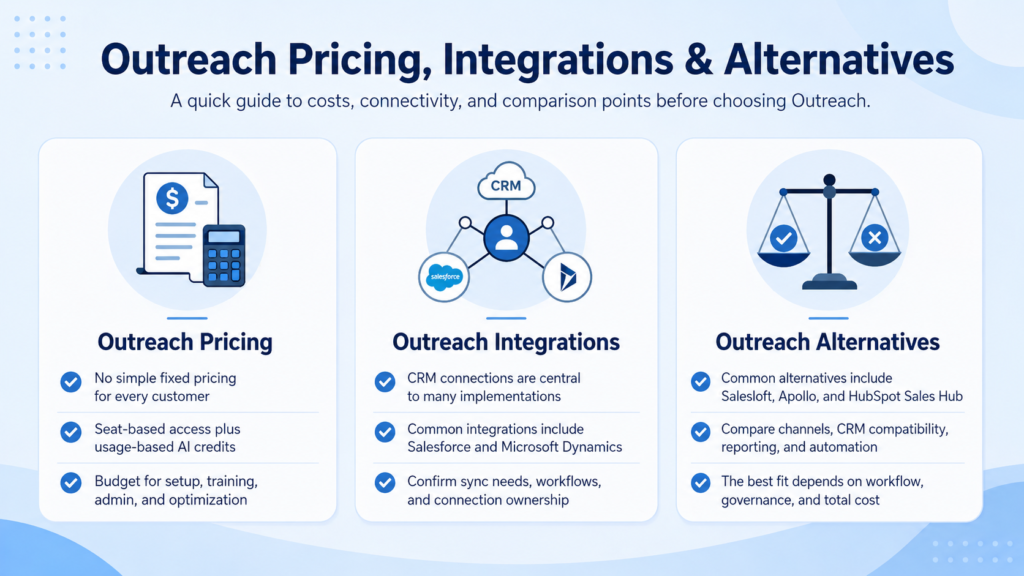
Outreach does not display simple fixed prices for every customer. Its current model combines seat-based access with consumption-based AI credits. Costs can vary by package, team size, AI usage, and required capabilities.
Budget planning should also consider implementation, data preparation, training, administration, and ongoing optimization.
Outreach Integrations
CRM connections are central to many implementations. Outreach provides documentation for Salesforce and Microsoft Dynamics, along with other sales and productivity integrations.
Before adoption, confirm which records must synchronize, where representatives will work, and who will maintain the connection.
Outreach Alternatives
Common alternatives may include Salesloft, Apollo, HubSpot Sales Hub, and other sales engagement tools.
A fair comparison should examine communication channels, CRM compatibility, sequence flexibility, reporting, automation controls, administration needs, data governance, and total cost. A longer feature list does not always mean a better fit.
Frequently Asked Questions
Is Outreach a CRM?
Outreach is primarily a sales engagement and revenue workflow platform, not a traditional CRM. It normally connects with a CRM to support emails, calls, tasks, sequences, and follow-ups while the CRM maintains core customer and opportunity records.
What Does Outreach Automate?
Outreach can automate or organize sequence steps, emails, follow-up tasks, calls, routing, and selected data updates. The exact level depends on the team’s configuration, connected systems, permissions, and package.
How Does Outreach Work With Salesforce?
Outreach can create, update, and synchronize selected information with Salesforce. Administrators configure field mappings, permissions, ownership rules, and sync behavior to match the company’s workflow.
Is Outreach Suitable for Small Businesses?
Outreach may suit a small business with a structured B2B sales process, enough outreach volume, and resources for setup. A very small team with simple needs may find a lighter tool easier to manage.
What Is the Difference Between Outreach and Salesloft?
Both support sales engagement workflows, but their features, integrations, AI capabilities, administration, and pricing differ. Teams should compare them using real workflows rather than general feature lists.
Can Outreach Replace Manual Prospecting?
Outreach can reduce repetitive coordination, but it cannot replace research, judgment, and genuine conversation. Strong sales teams automate routine steps while keeping important communication under human control.
Final Thoughts
The Outreach sales engagement platform can help B2B teams organize sequences, emails, calls, tasks, CRM activity, and follow-up. Its wider platform also supports AI-assisted revenue workflows, deal management, forecasting, and coaching.
The software works best when the sales process is already clear. Before adopting it, evaluate data quality, integrations, training, compliance, administration, and total cost. Automation should make outreach more relevant and consistent, not simply increase message volume.