CRM Tools Examples: Types, Features, and Real Use Cases
Customer information becomes harder to manage as a business grows. Leads sit in spreadsheets, notes stay in email, and follow-up dates become scattered. A customer relationship management system keeps customer records and activity in one shared platform. Teams can track contacts, deals, messages, tasks, and service issues. Salesforce describes CRM software as covering contact management, lead tracking, automation, customer support, analytics, and reporting.
CRM tools are software platforms that help businesses organize customer data, track leads, manage communication, and automate routine follow-ups. Common examples include HubSpot CRM, Salesforce, Zoho CRM, Pipedrive, Microsoft Dynamics 365, Freshsales, and monday CRM. The right choice depends on your workflow, team size, integrations, privacy needs, and budget.
What Are CRM Tools?
CRM stands for customer relationship management. A CRM tool creates a central record for each lead, customer, company, donor, or member. That record can include contact details, emails, meetings, deals, purchases, documents, and support requests.
The software is only one part of CRM. Your strategy defines how you attract, serve, and retain customers. The platform helps your team follow that process.
Most systems include contact management, pipeline tracking, reporting, automation, collaboration, and mobile access. Advanced platforms may also support service, marketing journeys, forecasting, and custom workflows.
For example, a commercial cleaning company in Boston could record a prospect’s building size, requested services, site-visit date, quote amount, and next follow-up date. The sales team sees the full history without searching through emails.
In my experience, businesses often add too many fields during setup. Start with information that supports a real action or decision.
Examples of CRM Tools
The following examples of CRM tools show how different platforms approach customer management. Some focus mainly on sales. Others connect sales with marketing, support, and reporting.
HubSpot CRM
HubSpot CRM connects contact records to sales, marketing, and customer service tools. Its official product page highlights contact management, email tracking, meeting scheduling, live chat, task management, and pipeline tools.
It may suit startups and growing teams that want several customer-facing functions on a single platform. A London web agency could capture an enquiry, book a call, create a deal, and record later support conversations.
Salesforce
Salesforce supports sales, service, marketing, automation, reporting, and customer-data workflows. Its feature guidance includes contact management, dashboards, forecasting, opportunity tracking, mobile access, automation, collaboration, and omnichannel support.
It may fit larger organisations that need detailed permissions and customisation, though setup may require more planning and training.
Zoho CRM
Zoho CRM provides lead and deal management, workflows, reports, mobile access, and customization. Its official pricing page currently lists a free edition for up to three users, including leads, deals, workflows, reports, and a mobile application.
It may suit smaller businesses that want a broad sales CRM or are already using other Zoho applications.
Pipedrive
Pipedrive is built around visual sales pipelines. Teams can organize deals by stage, schedule activities, monitor progress, customize fields, and automate selected tasks.
A Los Angeles solar installer could create stages for enquiry, site survey, quotation, finance approval, installation, and completed sale. Managers would quickly see delayed deals.
Microsoft Dynamics 365
Dynamics 365 Sales helps users manage accounts, contacts, leads, opportunities, orders, campaigns, and related service cases. Microsoft’s June 2026 documentation says teams can track relationships from lead to order.
It may be relevant to organisations already using Microsoft 365 or the Power Platform. A Manchester manufacturer could connect customer accounts, Outlook activity, opportunities, forecasts, and internal reporting.
Freshsales
Freshsales supports contact management, Kanban views, email templates, phone, chat, and deal tracking. Its official pricing page currently lists a free plan for up to three users.
A training provider could capture enquiries, assign leads, schedule calls, and track enrollments.
monday CRM
monday CRM uses configurable boards, pipelines, fields, dashboards, and automations. Its product pages emphasize lead management, contact management, nurture campaigns, forecasting, and customizable sales processes.
If you want to explore more CRM Software Examples across different industries and business sizes, check out our detailed guide covering additional platforms, practical use cases, and tips for choosing the right CRM solution.
CRM Software Examples Comparison
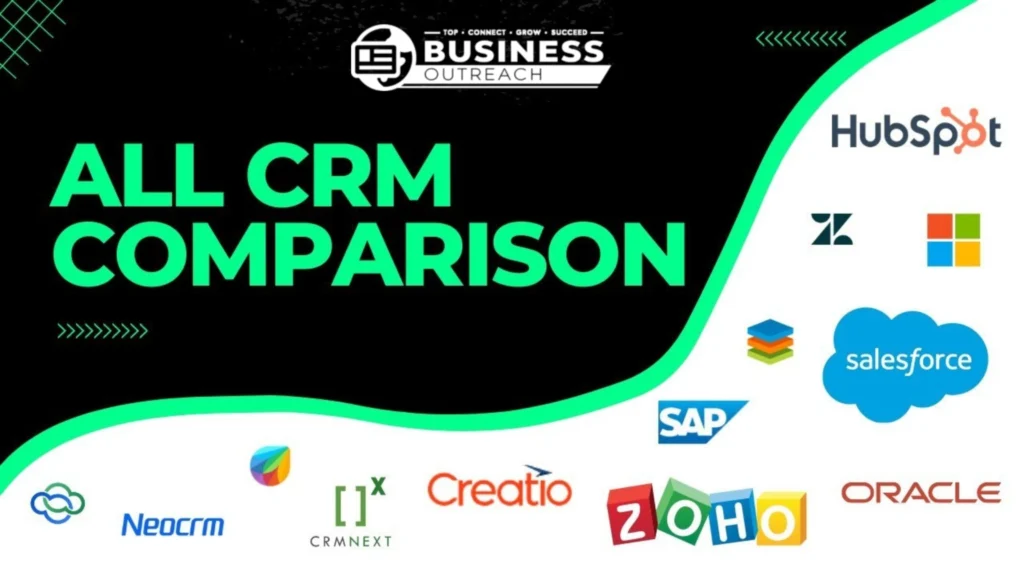
This table provides a neutral overview rather than a ranking.
| CRM tool | Common use | Typical fit | Main strength | Point to assess |
| HubSpot CRM | Sales, marketing, and service | Startups and growing teams | Connected tools | Paid feature limits |
| Salesforce | Complex customer operations | Growing and enterprise teams | Deep customization | Administration |
| Zoho CRM | Lead and sales management | Small and mid-sized firms | Broad features | Configuration |
| Pipedrive | Visual deal tracking | Sales-focused teams | Clear pipelines | Wider service needs |
| Dynamics 365 | Sales with Microsoft tools | Microsoft-based firms | Ecosystem integration | Licensing complexity |
| Freshsales | Lead and deal management | Small sales teams | Communication tools | Plan restrictions |
| monday CRM | Flexible sales workflows | Collaborative teams | Customizable boards | Setup effort |
Types of CRM Tools
CRM software is often grouped into operational, analytical, collaborative, and strategic types. One platform may support several.
Operational CRM
Operational CRM manages daily sales, marketing, and service tasks. It can capture leads, assign owners, schedule activities, move deals through stages, and trigger follow-ups.
A Chicago plumbing company could create a record whenever someone requests a quote. The system assigns enquiries by area and reminds staff when no one responds.
Analytical CRM
Analytical CRM helps teams study sales and customer data. Common uses include segmentation, conversion analysis, forecasting, retention reporting, and customer-value analysis.
A UK furniture retailer could compare repeat purchases by category and discover that dining-table buyers often return for matching chairs. Reports are only as reliable as the data entered.
I’ve seen impressive dashboards fail because sales staff used deal stages inconsistently. Clean data matters more than decorative charts.
Collaborative CRM
Collaborative CRM lets departments share customer information and communication history. Sales, onboarding, and support teams can work from the same record.
A software company could transfer customer goals from sales into onboarding, giving support teams useful context later.
Strategic CRM
Strategic CRM uses customer information to support long-term relationships and retention. A Bristol law firm might record client sectors, past matters, communication preferences, and review dates.
CRM Tools for Small Business
Small businesses usually need simplicity more than endless features. Contact records, a clear pipeline, tasks, email integration, basic reports, mobile access, and data export are often enough. HubSpot identifies contact management, email integration, pipeline management, and task tracking as common needs for small businesses.
A Bristol accounting firm might use five stages: new enquiry, consultation booked, proposal sent, client won, and client lost. That simple structure can be more useful than twenty stages nobody updates. A spreadsheet may work for one person. Consider a CRM when teams edit separate files, miss follow-ups, or cannot see the pipeline.
One mistake I often notice is waiting until the spreadsheet becomes unmanageable. Testing one workflow is safer than rushing thousands of poor records into a new platform.
Free CRM Tools Examples
Free CRM plans can help freelancers and small teams test a structured process. They may limit users, contacts, automation, reports, integrations, storage, or support.
Zoho CRM and Freshsales currently list free plans for up to three users. HubSpot also offers a free CRM with contact management, email tracking, live chat, meeting scheduling, task management, and pipeline tools. HubSpot currently states that its free plan supports up to two users and 1,000 contacts. Features and limits can change, so check official pricing pages before importing data.
A two-person consultancy could start free, then test exports, reports, upgrade costs, and user limits before committing.
CRM Tools vs Spreadsheets and Other Software
CRM platforms overlap with other business tools, but their main purpose is managing customer relationships.
| System | Main purpose | Customer history | Automation | Sales pipeline |
| CRM software | Leads and customer relationships | Strong | Often included | Strong |
| Spreadsheet | Flexible data storage | Manual | Limited | Manual |
| Project tool | Tasks and delivery | Limited | Often included | Limited |
| Email platform | Campaigns | Campaign-focused | Strong for email | Limited |
| Help desk | Support cases | Service-focused | Strong for support | Limited |
| ERP | Finance and operations | Secondary | Process-focused | Not primary |
A design agency may use a CRM before a deal closes and a project tool after delivery begins. They can integrate, but they solve different problems.
How to Choose the Right CRM Tool
Begin with the business problem, not the brand. Map where customer data enters, who uses it, what should happen next, and where delays occur.
“Improve sales” is too broad. “Respond to every web enquiry within one working day” is measurable.
List required features such as contact management, pipelines, email links, tasks, automation, reports, permissions, exports, and integrations.
Then test a real workflow with actual users. Can they create a lead, find the last conversation, update a deal, and identify overdue work?
Honestly, I’d test one full process before moving the entire database. That small trial often reveals unnecessary fields, confusing stages, and missing permissions.
Privacy matters too. The UK Information Commissioner’s Office says organisations that use personal data for business-to-business marketing must comply with UK GDPR requirements, including the requirement to process data lawfully, fairly, and transparently. People also have the right to object to direct marketing.
In the United States, requirements can vary by state, industry, and data type. Businesses should review the rules that apply to their location and customer information.
Common CRM Implementation Mistakes
Good software cannot fix a weak process. Common mistakes include importing duplicate records, creating too many fields, failing to train users, automating unclear workflows, and granting excessive data access.
A New Jersey distributor importing 20,000 contacts should first clean and map the records. Moving unreliable data faster does not make it useful.
Training should match each role. Clear rules should explain what must be recorded and when updates are required.
I’ve seen teams automate several emails before agreeing on when a lead should enter the sequence. Fix the human process first. Then automate it.
Examples of CRM Use Cases
Estate Agency Lead Management
A Manchester estate agency records buyer budgets, locations, mortgage status, viewing dates, feedback, and offers. Agents see the next action without having to search through emails.
Plumbing Quote Follow-Ups
A Chicago plumbing company assigns enquiries by service area. When a quotation remains unanswered for three days, office staff receive a reminder.
SaaS Customer Onboarding
A software company marks a deal as won. The CRM creates onboarding tasks, assigns a specialist, and transfers the customer’s goals to the delivery team.
Ecommerce Segmentation
A UK skincare retailer groups customers by purchase history, order value, product interest, and communication preference. Marketing staff can send more relevant campaigns while respecting opt-outs.
Nonprofit Donor Management
A US nonprofit tracks donations, event attendance, volunteer interests, and follow-up dates. Shared records reduce duplicate requests across departments.
Frequently Asked Questions
What are some examples of CRM tools?
Examples include HubSpot CRM, Salesforce, Zoho CRM, Pipedrive, Microsoft Dynamics 365, Freshsales, monday CRM, Copper, Creatio, and Zendesk. Their focus may be sales, marketing, service, analytics, or combined customer management.
What is the most common type of CRM?
Operational CRM is widely used because it supports everyday sales, marketing, and service tasks. Many platforms also include analytical, collaborative, and strategic functions.
Can a small business use a free CRM?
A small business can use a free CRM when its user, contact, reporting, storage, and automation limits align with its workflow. Check current plan terms before moving important data.
Is Excel a CRM tool?
Excel is not a dedicated CRM platform, although it can store customer information. It lacks built-in interaction histories, pipeline workflows, permissions, reminders, and customer-focused automation.
What is the difference between CRM and ERP?
CRM mainly manages customer-facing relationships and activities. ERP software focuses on internal operations such as finance, procurement, inventory, and supply chains.
How Do I Choose a CRM?
Choose a CRM by matching it with your workflow, team size, integrations, privacy duties, reporting needs, and budget. Test important tasks with real users before a full rollout.
Final Takeaway
CRM tools help businesses organize customer data, coordinate communication, track opportunities, and reduce missed follow-ups. A small consultancy may need only contacts, tasks, and one pipeline. A larger organization may require advanced permissions, service cases, forecasts, and several integrations. Begin with the problem. Map the workflow. Test it with real users. The strongest CRM is rarely the one with the longest feature list. It is the system your team can use consistently, accurately, and responsibly.