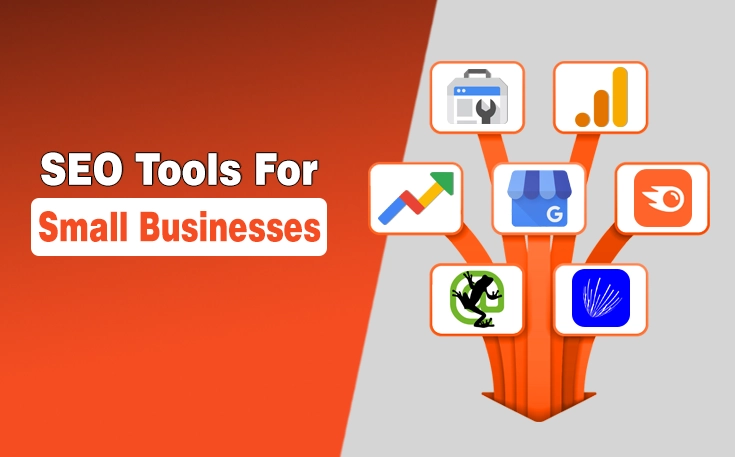
Best SEO Tools for Small Businesses: A Simple Guide for Beginners
Choosing the best SEO tool for small businesses can feel confusing when every tool claims to be the best. Some tools help with keywords, some check website problems, some track rankings, and others focus on local SEO or competitors. But a small business does not need every tool at once. The right choice depends on your goal, budget, website stage, and SEO knowledge. If you are a beginner, start with simple tools that show clear data and help you take action. This guide explains the most useful free and paid SEO tools in a simple, informational way.
Best SEO Tools for Small Businesses
- Best starting tool: Google Search Console
- Best free local SEO tool: Google Business Profile
- Best traffic analysis tool: Google Analytics 4
- Best beginner keyword tool: Google Keyword Planner or Ubersuggest
- Best advanced tools: Semrush, Ahrefs, SE Ranking, Moz Pro, and Screaming Frog
- Best approach: Start free, then upgrade when you need deeper data.
What Is an SEO Tool?
An SEO tool is software that helps you understand how your website performs in search engines. It can show keyword rankings, traffic data, indexing issues, backlinks, page speed problems, and content opportunities. SEO tools do not automatically rank your website. They show useful data so you can make better decisions.
Think of an SEO tool like a report card for your website. It shows what is working, what needs improvement, and where your website may be losing traffic.
Why Do Small Businesses Need SEO Tools?
Small businesses need SEO tools because SEO without data is mostly guesswork. A tool helps you understand what people search for, which pages get traffic, and what problems may stop your website from ranking better.
For example, a bakery in London may need keyword ideas, while a plumber in Texas may need local competitor data. SEO tools can reveal search queries, weak pages, technical errors, and opportunities with competitors.
These tools also help you focus on the right work, such as improving titles, fixing indexing issues, finding better keywords, checking speed, and tracking progress.
Best Free SEO Tools for Small Businesses
Free SEO tools are the best starting point for most small businesses. Before paying for advanced software, learn how your site appears in search results, how visitors behave, and whether your pages have basic SEO issues. However, agencies that provide SEO services for small businesses typically rely on paid SEO tools because they offer deeper insights, advanced reporting, competitor analysis, and features needed to manage multiple clients effectively.
Google Search Console
Google Search Console shows clicks, impressions, average position, search queries, indexed pages, and indexing errors. It is one of the best first tools because it gives real search data from your own website.
Google Analytics 4
Google Analytics 4 helps you understand what visitors do after they land on your website. It can show where users come from, which pages they visit, and how they interact with your site. This matters because SEO is not only about traffic.
Google Business Profile
Google Business Profile is important for local small businesses. If you run a shop, clinic, restaurant, salon, repair service, or local agency, this tool helps your business appear on Google Search and Google Maps. You can manage business details, opening hours, photos, service areas, and reviews.
Google Keyword Planner
Google Keyword Planner is primarily designed for Google Ads, but it can also help with basic SEO keyword research. You can use it to find keyword ideas, search volume ranges, and related terms. It is useful for beginners who need guidance on keywords.
PageSpeed Insights
PageSpeed Insights checks how fast your website loads on mobile and desktop. It also provides improvement suggestions, such as optimising images or reducing code size. Website speed matters because slow pages can make visitors leave early.

Best Paid SEO Tools for Small Businesses
Paid SEO tools are useful when free tools are not enough. They can help with in-depth keyword research, competitor analysis, backlink analysis, rank tracking, content planning, and technical audits. Choose based on your main SEO problem, not popularity.
Semrush
Semrush is an all-in-one SEO tool for keyword research, competitor analysis, site audits, backlinks, content research, and rank tracking. It is useful when you want many SEO features in one place, but beginners may need time to understand the reports.
Ahrefs
Ahrefs is strong for backlink analysis, competitor research, keyword research, and content gaps. It can show which pages bring traffic to competitors and which websites link to them.
SE Ranking
SE Ranking is useful for rank tracking, website audits, keyword research, and competitor checks. It is often easier to understand than some larger SEO platforms, which makes it a good option for small businesses that want clear reports.
Ubersuggest
Ubersuggest is beginner-friendly and helpful for keyword ideas, content ideas, basic audits, competitor checks, and rank tracking. It is not as deep as some advanced tools, but it is easier for new SEO learners.
Moz Pro
Moz Pro helps with keyword research, rank tracking, website audits, backlinks, and SEO metrics. Many beginners also know Moz for domain authority-style metrics, which can help compare website strength.
Screaming Frog SEO Spider
Screaming Frog SEO Spider is mainly used for technical SEO audits. It crawls your website and finds issues such as broken links, missing titles, duplicate meta descriptions, redirect issues, and indexing issues.
SEO Tools Comparison Table
| SEO Tool | Best For | Free Option | Beginner Friendly |
| Google Search Console | Search performance and indexing | Yes | Yes |
| Google Analytics 4 | Website traffic analysis | Yes | Medium |
| Google Business Profile | Local SEO | Yes | Yes |
| Google Keyword Planner | Basic keyword research | Yes | Medium |
| PageSpeed Insights | Website speed | Yes | Medium |
| Semrush | All-in-one SEO research | Limited options may vary | Medium |
| Ahrefs | Backlinks and competitor research | Limited tools available | Medium |
| SE Ranking | Rank tracking and audits | Usually paid | Yes/Medium |
| Ubersuggest | Beginner keyword research | Limited options available | Yes |
| Moz Pro | SEO tracking and metrics | Limited tools available | Medium |
| Screaming Frog | Technical SEO audits | Free limited crawl | Medium/Advanced |
Every tool has a different purpose. A local business may need Google Business Profile first, while a technical website may need Screaming Frog or PageSpeed Insights.
Which SEO Tool Should You Use First?
Most small businesses should start with Google Search Console because it shows how the website performs in Google Search. After that, the next tool depends on your goal.
If you are a complete beginner, use Google Search Console, Google Analytics 4, and PageSpeed Insights. If you run a local business, add a Google Business Profile. If your main goal is blog content, use Google Keyword Planner, Ubersuggest, SE Ranking, Semrush, or Ahrefs. If your website has technical problems, use Google Search Console, PageSpeed Insights, and Screaming Frog.
Are Free SEO Tools Enough for a Small Business?
Free SEO tools are enough for many small businesses in the beginning. They can show search performance, traffic, local visibility, page speed, and basic indexing issues. If your website is new or your SEO knowledge is still basic, free tools can give you enough data to start improving.
Paid tools become useful when you need deeper information, such as competitor keywords, backlink analysis, rank tracking, content gaps, or detailed audits. The simple rule is this: choose the tool that solves your current problem.
Best SEO Tools by Business Need
Different SEO tasks need different tools. For keyword research, use Google Keyword Planner, Ubersuggest, SE Ranking, Semrush, Ahrefs, or Moz. For local SEO, use Google Business Profile, BrightLocal, Whitespark, Moz Local, or Semrush Local. For website audits, use Google Search Console, PageSpeed Insights, Screaming Frog, SEMrush, Ahrefs, or SERanking.
For content optimisation, use Google Search Console, Rank Math, Yoast SEO, Surfer SEO, Semrush, or Ahrefs. For rank tracking, use SE Ranking, Semrush, Ahrefs, Moz Pro, or Ubersuggest. For competitor analysis, use Semrush, Ahrefs, SE Ranking, Ubersuggest, or Moz Pro.

How to Choose the Right SEO Tool
To choose the right SEO tool, start with your main problem. If you need traffic data, use analytics tools. If you need keyword ideas, use keyword research tools. If your website has errors, use audit tools. The right tool should be useful, easy to understand, and suitable for your budget.
Also, choose a tool you can actually use. A tool with hundreds of features is not helpful if you do not understand the reports. Look for data that helps you take action, such as low-click pages, missing titles, slow pages, keyword gaps, or indexing problems.
Common Mistakes Small Businesses Make With SEO Tools
One common mistake is buying expensive SEO tools too early. Advanced tools can display a lot of data, but it can overwhelm beginners. Another mistake is ignoring Google Search Console, even though it shows real Google Search data from your own website.
Many beginners also focus only on keyword volume. A high-volume keyword is not always best if it is too broad, too competitive, or not useful for your business. Small businesses should also avoid using too many tools at once because different scores and reports can create confusion.
Simple SEO Tool Stack for Beginners
A simple SEO tool stack means using a small group of tools that work together. Beginners do not need every SEO tool at once.
For a basic website, use Google Search Console, Google Analytics 4, and PageSpeed Insights. For a local business, add a Google Business Profile. For content-focused SEO, add Google Keyword Planner, Ubersuggest, SE Ranking, Rank Math, or Yoast SEO. For technical SEO, use Screaming Frog with Google Search Console and PageSpeed Insights.
Do SEO Tools Guarantee Better Rankings?
SEO tools do not guarantee better rankings. They show data, problems, and opportunities, but they do not automatically improve your website. Better rankings usually come from useful content, strong on-page SEO, technical fixes, internal links, backlinks, good user experience, and matching search intent.
An SEO tool is like a map. A map can show the road, but you still have to drive. In the same way, an SEO tool can show what needs work, but you still need to improve the website, update content, and make pages more helpful for users.
Final Summary
The best SEO tools for small businesses are those that help you understand your website clearly and act with confidence. You do not need every popular SEO tool at the beginning. Start with free tools like Google Search Console, Google Analytics 4, Google Business Profile, Google Keyword Planner, and PageSpeed Insights.
Once you understand your basic SEO data, you can move toward paid tools like Semrush, Ahrefs, SE Ranking, Ubersuggest, Moz Pro, or Screaming Frog SEO Spider based on your actual needs. The right tool should make SEO easier, not more confusing.
FAQs
What is the best SEO tool for a small business?
The best SEO tool for a small business depends on your main goal. For most beginners, Google Search Console is the best first tool because it shows how your website performs in Google Search. For local businesses, Google Business Profile is also important.
Are free SEO tools enough for a small business?
Yes, free SEO tools are enough for many small businesses in the beginning. Google Search Console, Google Analytics 4, Google Business Profile, Google Keyword Planner, and PageSpeed Insights can help with search performance, traffic, local visibility, keyword ideas, and speed checks.
Which SEO tool is best for beginners?
Google Search Console is one of the best SEO tools for beginners because it gives real search data from your own website. Ubersuggest and SE Ranking can also be beginner-friendly for keyword research, audits, and rank tracking.
Do I need Semrush or Ahrefs for a small business website?
You do not always need Semrush or Ahrefs when you are just starting. These tools are powerful, but they may feel advanced for beginners. Start with free tools first, then use advanced tools when you need deeper research.
How many SEO tools does a small business need?
Most small businesses only need two or three SEO tools at the start. One tool should improve search performance, another should help with traffic analysis, and a third should support the main SEO tasks, such as local SEO, keyword research, or technical audits.