
Lead Management CRM: Process, Features, Benefits, and Best Practices
Sales leads can arrive through forms, calls, emails, advertisements, events, referrals, and social media. Problems begin when each channel stores information in a different place. One employee uses a spreadsheet, another relies on an inbox, and marketing keeps separate campaign records.
A lead management CRM brings those details into one system. It helps your team record enquiries, assign responsibility, plan follow-ups, and track progress. In my experience, the software works best after the business defines clear stages, ownership rules, and response expectations.
A lead management CRM is software that captures, organizes, qualifies, assigns, nurtures, and tracks potential customers. It gives sales and marketing teams one shared record from the first enquiry until the lead converts, becomes inactive, or is closed.
What Is Lead Management CRM?
Lead management is the process of moving a potential customer from initial interest toward a qualified sales opportunity. A CRM supports that process by storing contact details, communication history, tasks, stages, and outcomes.
The record may include the person’s name, company, role, location, lead source, product interest, assigned owner, qualification notes, consent status, and next action. Collect only information that supports a real purpose.
A lead is an unqualified contact. A prospect appears suitable for your business. An opportunity has entered an active sales process. A customer has completed a purchase. Your definitions may differ, but everyone should use the same terms.
How Does a Lead Management CRM Work?
The system creates a repeatable path for each enquiry. First, it captures the lead from a form, email, call, chat, campaign, event, or manual entry. It then creates or updates a central record.
Sales staff can review previous conversations, activity, source data, and outstanding tasks. Qualification rules help decide whether the lead matches your target customer. Assignment rules send the record to the correct representative based on location, product, company size, language, or workload.
When the lead meets agreed criteria, it becomes an opportunity. Its earlier history should remain available, so the salesperson understands what happened before the sales conversation began.
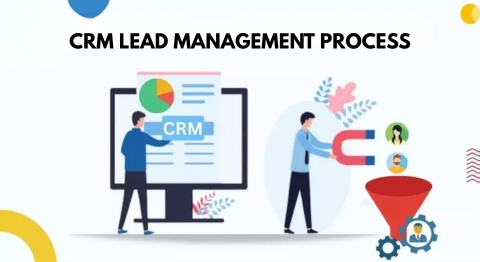
CRM Lead Management Process
A clear CRM lead management process prevents leads from sitting untouched. I have seen teams build ten complicated stages when four simple ones would have worked better. Start with the shortest process that supports accurate decisions.
1. Capture the Lead
Create a record from every valid enquiry source. Keep required form fields limited, but collect enough information for useful follow-up.
2. Validate the Data
Check email addresses, phone numbers, company details, and duplicate records. Poor data creates repeated messages and unreliable reports.
3. Qualify the Lead
Assess the need, authority, timing, budget, location, company size, or any other factor related to your ideal customer.
4. Score and Prioritize
Use fit and engagement signals to rank leads. HubSpot’s current lead-scoring system, for example, separates fit, engagement, and combined scores and supports positive and negative points, thresholds, and score decay.
5. Assign Ownership
Route each lead to one responsible person. Create a fallback queue for records that do not match an assignment rule.
6. Nurture and Follow Up
Send useful information, schedule calls, and create reminders based on the lead’s needs and permissions. Every active record should have a clear next action.
7. Record the Outcome
Move the lead to an opportunity, customer, nurture list, disqualified status, or closed status. Record reasons for loss because they can expose weak targeting or process gaps.
Lead Capture and Management
Lead capture should connect marketing activity with the sales process. Website and landing page forms can automatically create records. Shared inboxes can add email enquiries, while call and chat tools can record conversations.
Advertising platforms may pass campaign information into the CRM. Events, referrals, and offline forms may require an import template. Use consistent source names, as labels such as “Google,” “Google Ads,” and “PPC” can split a single channel across multiple reports.
One mistake I often notice is placing every enquiry into the same general list. A pricing request, job application, support question, and newsletter signup should not follow the same path.
Lead Management CRM Features
The best features are the ones your team will use consistently. More functions do not guarantee a stronger process.
Central Contact Records
One profile should contain contact details, company information, notes, activities, status, owner, and next steps.
Lead Source Tracking
Source data shows which forms, campaigns, referrals, or events produced each enquiry. It also helps compare lead quality, not only volume.
Automated Assignment
Rules can route records by territory, product, language, company size, or staff availability. Unmatched records should trigger an alert.
CRM Lead Scoring
Scoring ranks leads through fit and behaviour. A decision-maker requesting a demonstration may deserve more attention than someone who opens a single newsletter.
Pipeline Management
A visual pipeline shows active opportunities by stage. Each stage should represent a real milestone, such as discovery completed, proposal sent, or contract review.
Tasks and Workflow Automation
The CRM can create reminders after enquiries, meetings, quotations, or missed calls. Automate repetitive administration, not unclear business decisions.
Email and Calendar Integration
Integrations can save communication, schedule meetings, and display activity history. Staff should understand what is recorded automatically.
Reporting and Access Controls
Reports may track source, response time, qualification, conversion, stage duration, and reasons for loss. Permissions should be limited by role. NIST’s Cybersecurity Framework provides a risk-based structure that organisations can use to manage cybersecurity outcomes and strengthen safeguards for systems and data.
CRM Lead Scoring
Lead scoring helps your team decide which records need attention first. Fit signals may include industry, location, job title, company size, or service need. Engagement signals may include a meeting request, a visit to a pricing page, an email reply, or a quotation form.
Negative points can lower priority when a lead falls outside your service area, uses invalid contact details, or remains inactive. However, one action should not automatically prove purchase intent.
Manual scoring is easier to understand and works with limited data. Predictive scoring may identify patterns from historical results, but it still depends on accurate records. Review the model whenever your product, target market, or sales process changes.
Benefits of Lead Management CRM
A lead management CRM creates value by making responsibility and progress visible.
It can reduce missed follow-ups because tasks remain attached to each record. Automatic routing helps the right person respond sooner. Shared definitions improve coordination between sales and marketing. Source tracking connects enquiries with later opportunities and customers.
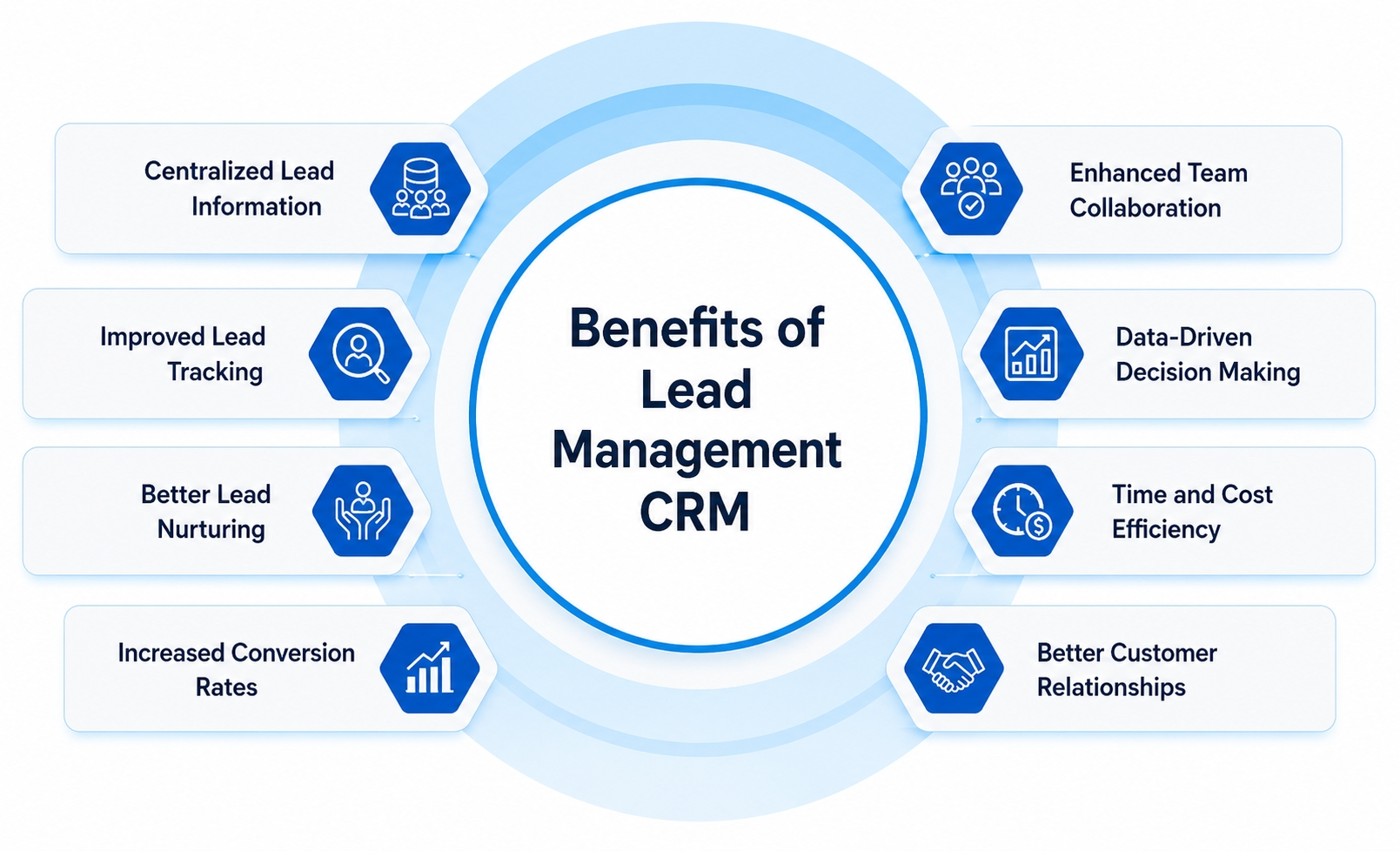
Managers can identify unassigned records, slow stages, weak conversion points, and common causes of loss. Salespeople can focus on suitable prospects instead of searching through disconnected files.
I would still avoid judging success only by calls or emails. High activity can hide weak qualification. Track outcomes such as qualified opportunities, conversions, stage movement, and meaningful next actions.
CRM for Lead Tracking
A CRM for lead tracking should answer four questions:
- Where did the lead come from?
- Who owns the next action?
- What has already happened?
- What is the current outcome?
Useful fields include lead source, status, opportunity stage, last activity, next action, owner, score, and loss reason.
Lead status and pipeline stage should remain separate. Status describes handling, such as new, working, nurtured, or disqualified. Pipeline stage describes progress within an active sale.
Useful reports include new leads by source, qualified lead rate, response time, unassigned leads, records without next actions, stage duration, conversion rate, and loss reasons.
Lead Management Software vs CRM
Lead management software and CRM software often overlap. A narrow lead tool may focus on capture and distribution. A CRM usually supports the wider relationship, including opportunities, customers, communication, and reporting.
| Area | Spreadsheet | Basic CRM | Lead Management CRM |
| Lead capture | Mostly manual | Manual or limited | Multiple connected sources |
| Assignment | Manual | Basic ownership | Rule-based routing |
| Scoring | Separate formulas | Sometimes available | Fit and engagement scoring |
| Follow up | Personal reminders | Tasks and alerts | Automated workflows |
| Reporting | Manual | Standard reports | Source and conversion analysis |
| Scalability | Limited | Moderate | Suitable for growing volume |
A basic CRM may suit a small company with few leads and a simple pipeline. Dedicated lead management becomes useful when enquiries arrive from several channels, require scoring, or pass between multiple teams.
Examples of Lead Management CRM
SaaS Demo Requests
A Manchester software company captures demo forms and records company size, country, and product interest. Requests from larger firms go to senior representatives, while early-stage leads receive educational emails.
US Property Enquiries
A Texas property agency assigns website leads by postcode, budget, property type, and agent availability. Viewing requests create urgent tasks. Guide downloads receive lower priority.
Manufacturing Quotations
A packaging manufacturer separates sample requests, general questions, and bulk quotations. High-volume requests go to account executives, while incomplete forms enter a review queue.
Recruitment Leads
A London agency tracks employer enquiries by industry, role, hiring deadline, and number of positions. The CRM records proposal history and future contact dates.
Consulting Sales Cycles
A US consulting firm stores stakeholders, meetings, budget discussions, legal reviews, and next actions during a six-month sales cycle. The relationship does not depend on one consultant’s memory.
How to Choose a Sales Lead Management System
Begin with your process, not a long feature list. Reviewing different CRM software examples before making a decision can help you understand which platform best matches your workflow. Map where leads come from, who handles them, which stages matter, and what managers need to measure.
Review integrations, custom fields, routing rules, scoring, reports, permissions, data exports, mobile access, training, support, total cost, and scalability. Test the system with real scenarios before a full launch.
Privacy also matters. The UK Information Commissioner’s Office lists seven UK GDPR principles, including lawfulness, purpose limitation, data minimisation, accuracy, storage limitation, security, and accountability.
For US commercial email, the Federal Trade Commission says CAN SPAM covers commercial messages, including business-to-business email. Its guidance requires accurate sender information, non-deceptive subjects, a postal address, an opt-out method, and timely handling of opt-out requests.
Requirements vary by region and industry, so treat this as general information rather than legal advice.
Common Mistakes and Best Practices
Avoid buying software before defining the process. Too many fields, unclear stages, duplicate records, complex scoring, and poor training reduce adoption.
Keep required fields limited. Give every active lead one owner and one next action. Review scoring rules regularly. Create alerts for meaningful behaviour rather than every page visit.
Sales and marketing should agree on qualification terms: audit unassigned leads, overdue tasks, broken forms, duplicate records, and unused reports. A CRM should make work clearer, not create extra administration.
Frequently Asked Questions
What Is the Main Purpose of a Lead Management CRM?
Its main purpose is to organize potential customers from initial enquiry through qualification, follow-up, and conversion. It creates shared records and clear ownership.
Is Lead Management the Same as CRM?
Lead management is one part of CRM. It focuses on potential customers, while CRM can cover the full relationship before and after purchase.
Can a Small Business Use a Lead Management CRM?
Yes. A small business can use it to replace spreadsheets, track enquiries, schedule tasks, and manage a simple pipeline.
What Information Should Each Lead Record Contain?
Store contact details, source, interest, owner, status, communication history, qualification notes, and next action. Avoid collecting unnecessary information.
How Does CRM Lead Scoring Work?
It assigns points or priority levels based on customer fit and engagement. Strong buying signals can raise the score, while weak fit or inactivity can lower it.
Can a CRM Replace Lead Spreadsheets?
Yes, a CRM can replace most lead spreadsheets by centralizing records, tasks, ownership, stages, communication, and reports. Spreadsheets may still help with temporary analysis.
Final Takeaway
A lead management CRM connects marketing interest with an organized sales process. It captures records, assigns responsibility, supports qualification, tracks communication, and measures outcomes. Define your stages first. Keep ownership clear. Protect the data. Use automation carefully. Review the process often. When those foundations are strong, the CRM becomes easier to use and far more useful.